In organizations where colleagues work dispersed, remotely, hybrid, flexible, physical proximity has long ceased to be a given. Nevertheless, connection remains essential. Not only to share information, but also to strengthen cooperation, increase engagement and maintain a shared course. At Embrace, we believe that the intranet plays a key role in this.
Why the intranet matters
Finding information, keeping each other informed, experiencing a sense of direction seems obvious, but that is far from being the norm in organizations where hybrid working is the norm. Employees want to know what's going on, feel connected to the mission and be able to work together easily. A well-designed intranet contributes directly to this.
More than a message board or newsletter channel, it's where strategic choices become visible, where team leaders can provide context and where employees can find each other, even when they don't see each other every day.
Critical communication
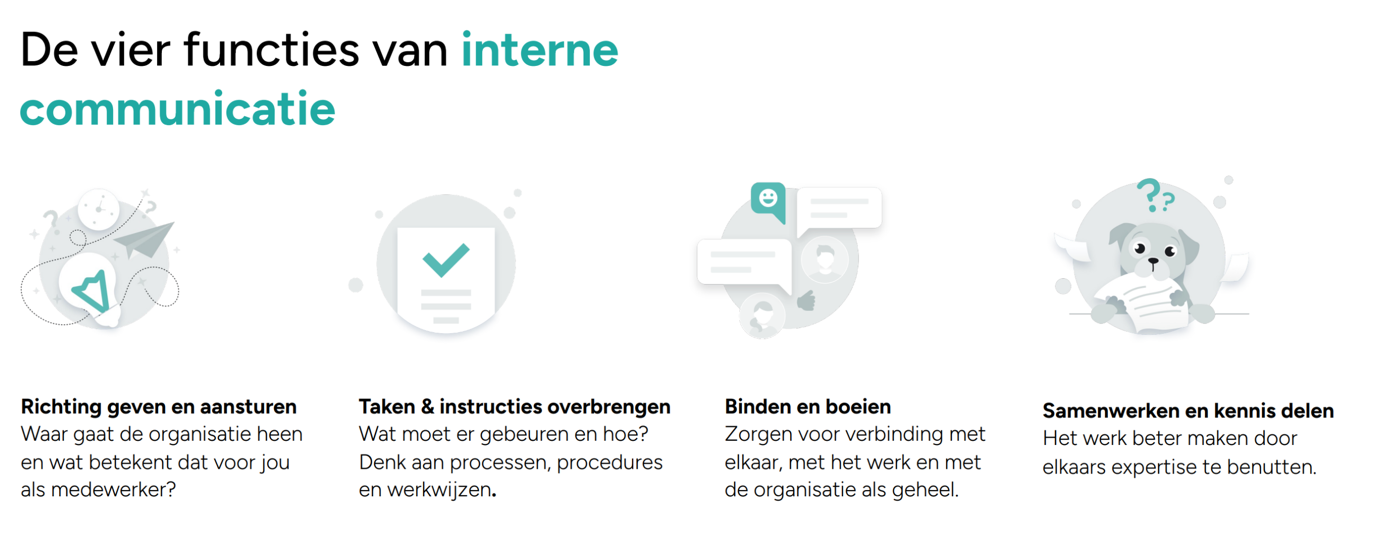
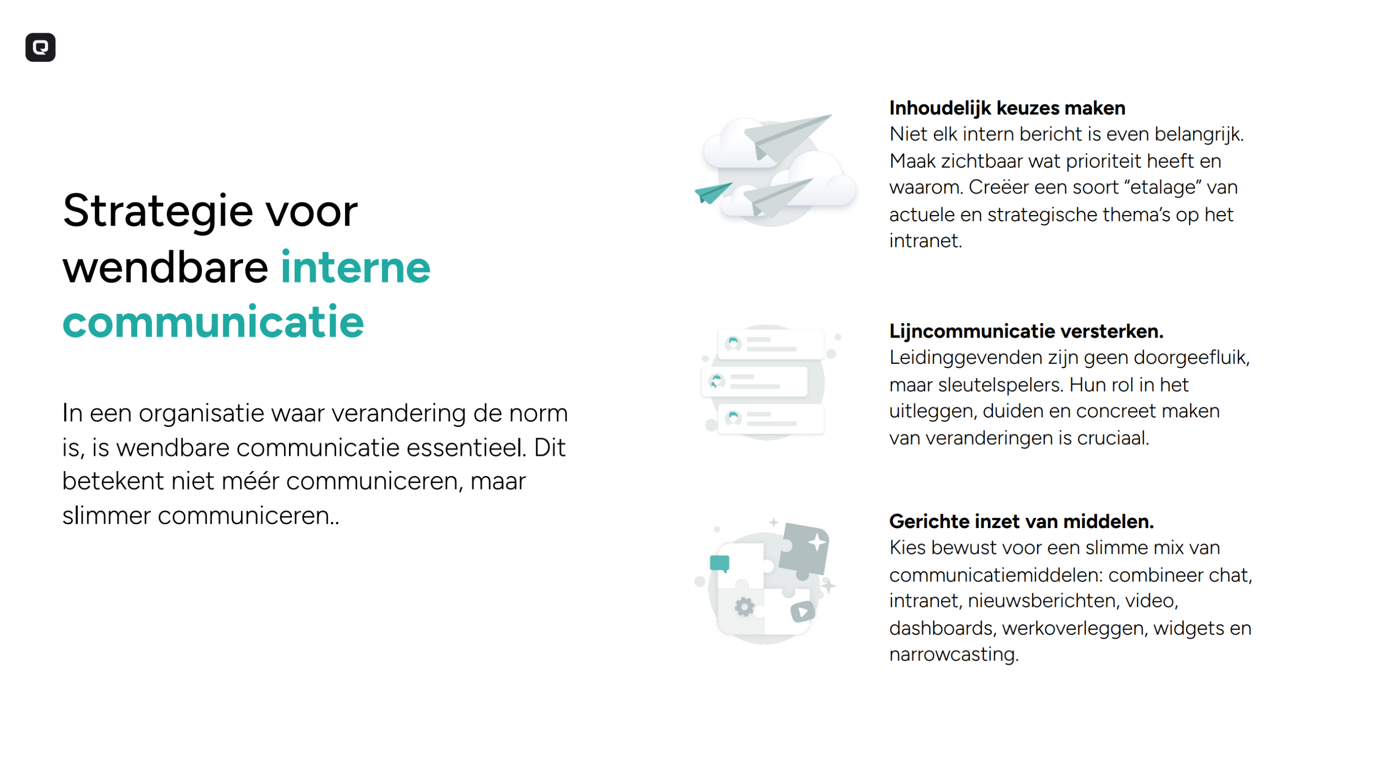
In a rapidly changing environment, more communication is not the solution. What does work is choosing critically: what information is important and how do you communicate it smartly? Think of a home page with current themes, visual dashboards, or a short video from the management explaining plans.
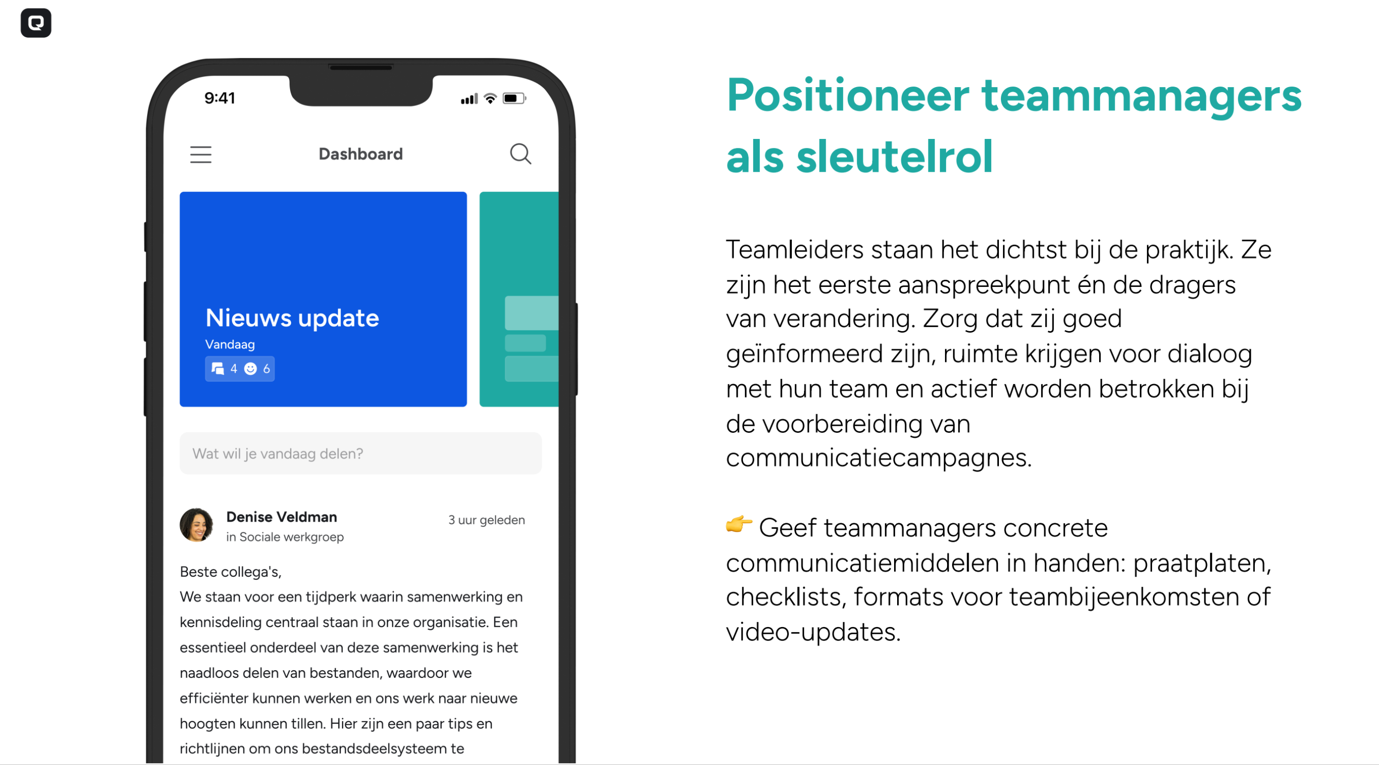
Team leaders are indispensable here. They are close to practice and make abstract changes concrete. By actively involving and supporting them with formats, talking boards or instructional videos, communication is created that really lands.
Good example to follow
Behavior is contagious. When leaders ask for feedback but don't share anything themselves, it stays silent. But if they themselves are visible on the intranet, with a short vlog, an open question to the team or an update from a project, that invites them to participate.
Employees themselves also play a role in this. For example, by:
- complementing their profile with areas of expertise;
- sharing knowledge or successes in their team group;
- to ask questions in an accessible Q&A section.
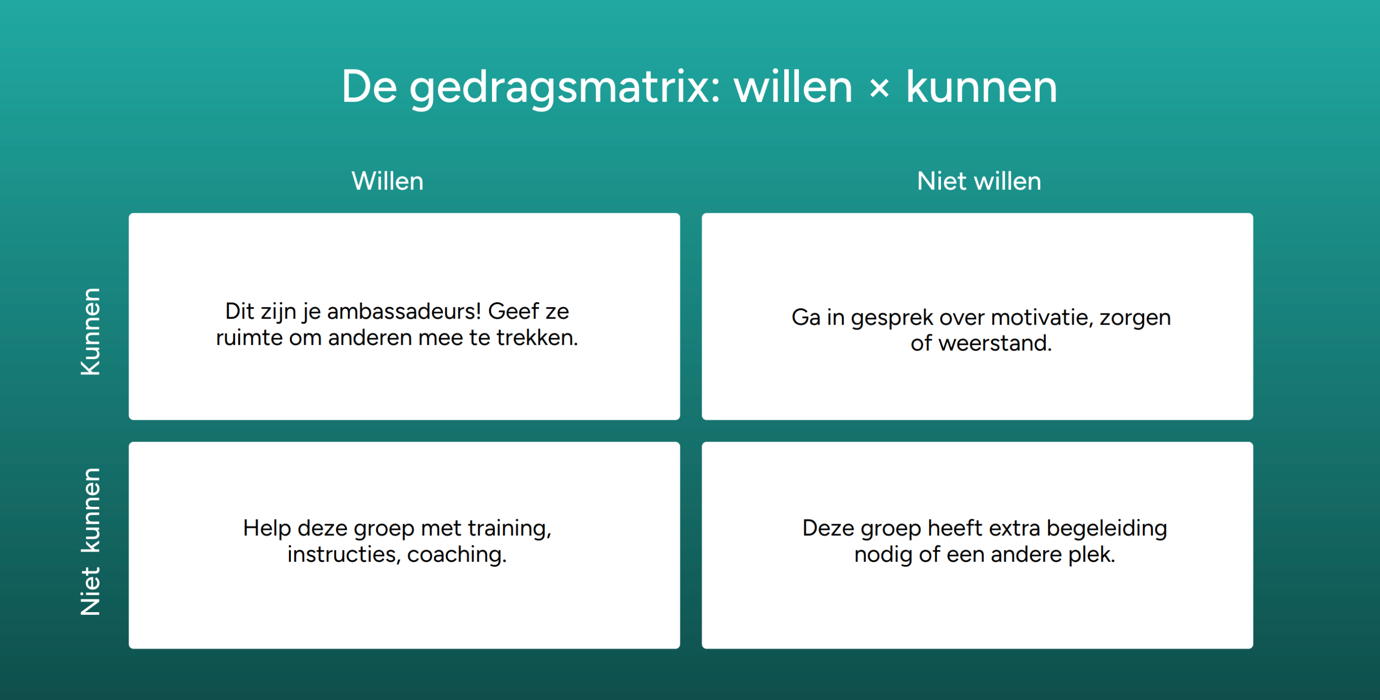
This way, communicating does not become an extra task, but a natural part of the work. The behavioral matrix provides a good picture of your type of users.
Keep it social and relevant
A common pitfall is that everything ends up on the general timeline. From strategic updates to photos of the team outing and that doesn't work. The solution? Thematic groups where there is room for interaction and atmosphere, without disturbing the main line. Think of “Working Smarter”, “Vitality” or an office humor group. Employees choose what to join and thus keep their timeline relevant and personal. Example groups that work well:
📷 “Look at us!” , for photos of team activities, successes, anniversaries
☕ “Coffee machine talk”, light-hearted updates, gifs, office humor
🧠 “Working smarter”, tips & tricks from colleagues
🏃 “Vitality”, sports group, challenges, running routes
🌎 “Doing it sustainably”, initiatives for a greener organization
Allow employees to freely sign up to social or thematic groups that they find interesting. This way, their timeline remains relevant, while you give space to community building and connection.
Start small, big effect
You don't have to start a major campaign to make an impact. Start with one team, one category, or one story. Four successes visible. Share an inspiring story from a colleague every month. Provide team leaders with training in communication and behavioral change. Most importantly, agree on which channel to use for what. This provides peace and clarity for everyone.
The intranet is not the goal, but the tool. A means of creating movement, sharing knowledge and strengthening connection. When you organize that properly, it changes from a channel to a culture carrier exactly as it was intended.
What do you do with which tool?
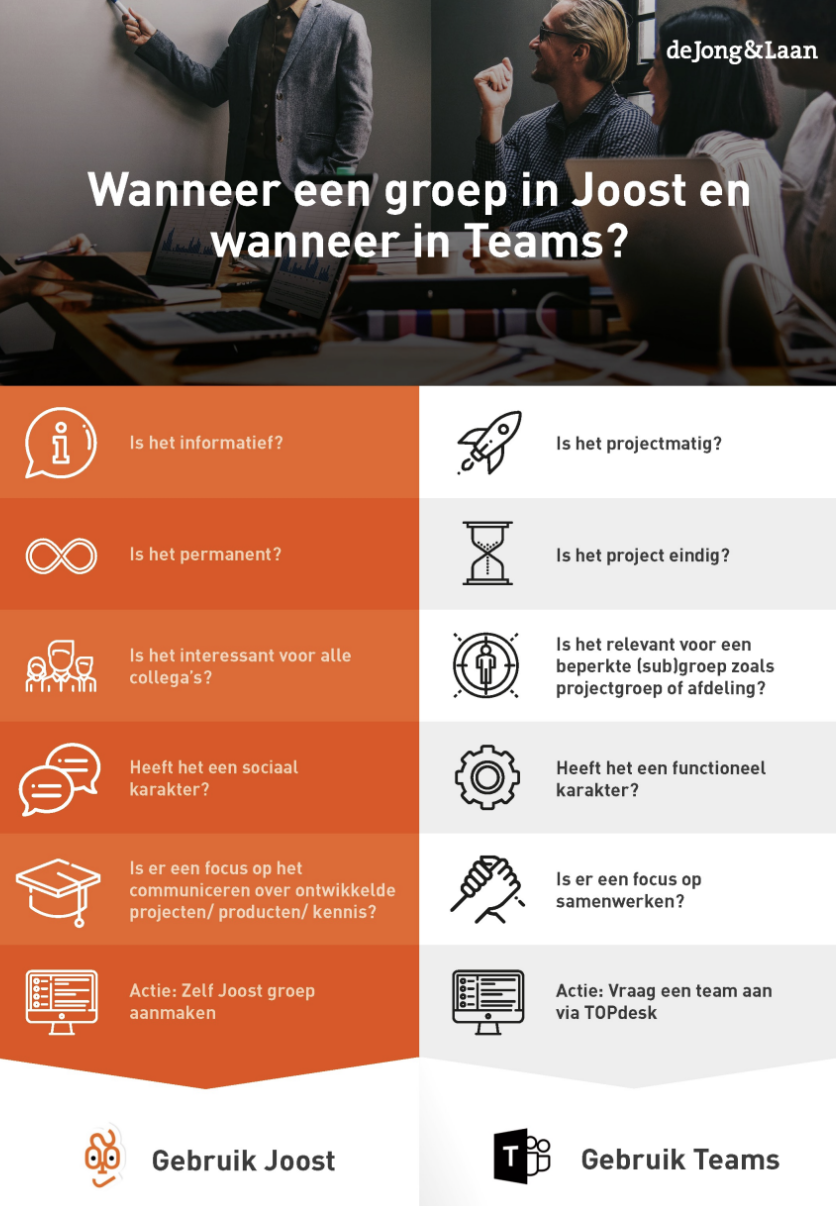
“I saw your message... but which tool was it in again?” The proliferation of digital platforms makes more coherence in your digital work environment crucial. Just about all organizations are teeming with digital tools for collaborating and communicating. These tools are often all used, but not by everyone at the same time and certainly not by everyone in the same way. And that actually makes communication and collaboration more complicated. That is why it is important to determine which tool you use for which target group.
Making appointments means creating peace
Make sure everyone in the organization knows and applies these choices.
This provides clarity, prevents duplication of work and ensures that people find information faster.
Preferably make:
- A visual guide or infographic with this diagram
- A short training or instructional video during onboarding
- Editorial guidelines (e.g., who can publish where, and how often?)
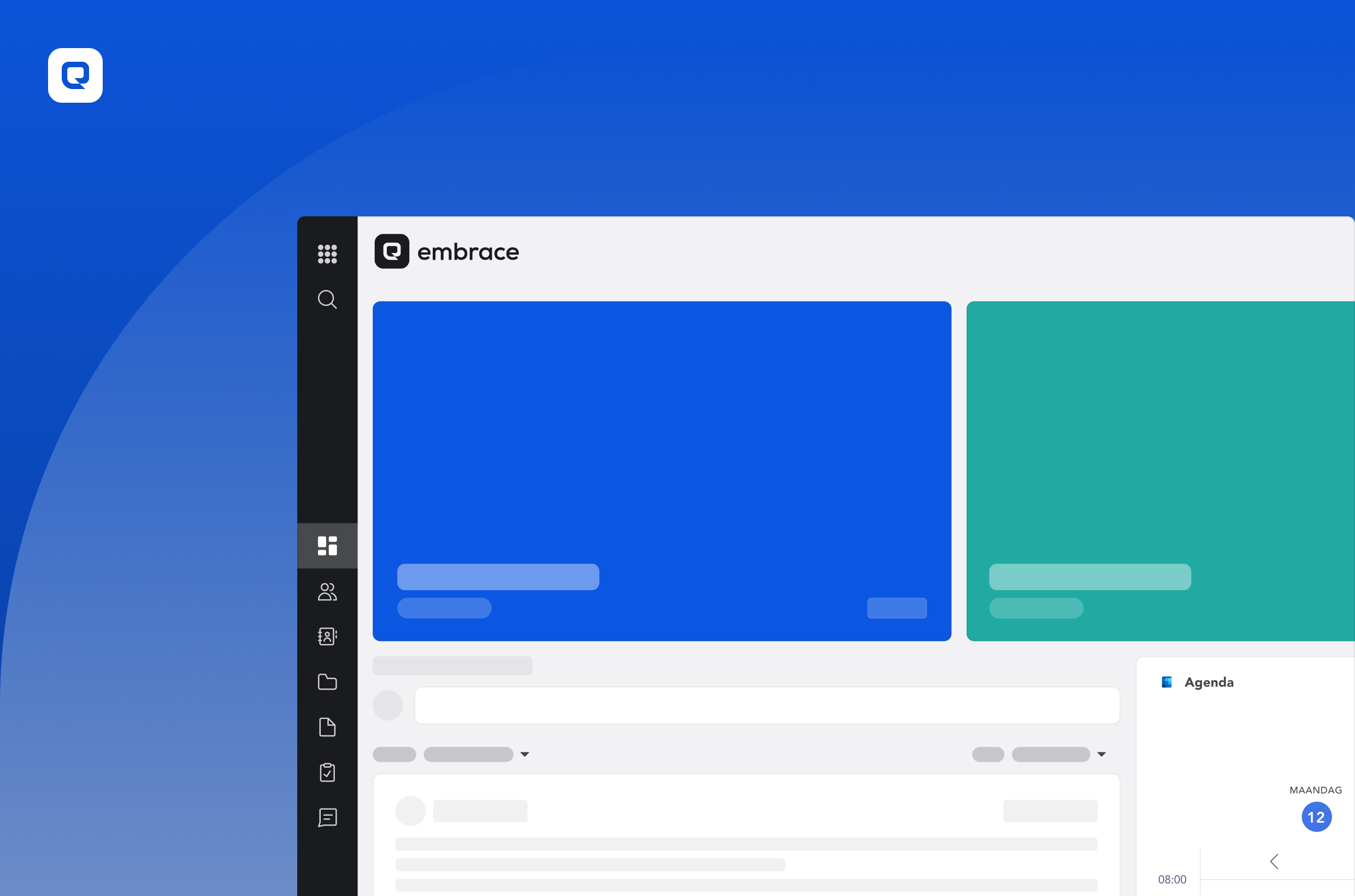
👉 In Embrace, you can even offer this overview as a fixed page or widget on the dashboard. So it's always within reach.
Digital tour